Bring modern order to
property operations.
Deskova gives property teams one shared workspace for resident concerns, notices, requests, and follow-ups, so daily work is easier to assign, track, and find.
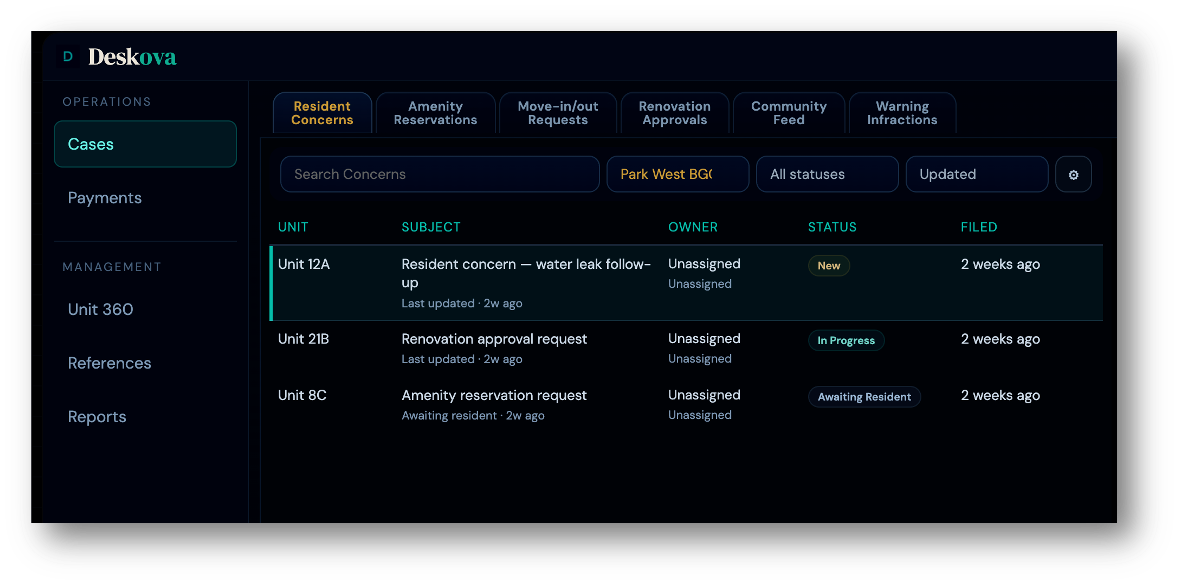
Operations need an intelligent system as priorities move fast.
Requests get scattered
Concerns, notices, payments, and follow-ups land across chats, email, paper forms, and side conversations.
Context gets lost
Teams spend time rebuilding what happened, who handled it, and what needs to happen next.
Residents wait for updates
Without a shared view, staff answer the same questions repeatedly and residents are left guessing.
Handoffs depend on memory
When someone is away, pending work can sit unnoticed or restart from the beginning.
Group chats are useful for quick coordination. They are not a reliable home for property work.
Deskova gives the team a shared place to organize the work behind every resident update.What changes with Deskova
One clear channel for residents.
Resident Updates
Send announcements and building updates without scattering messages across multiple chats.
Concern Log & Case Handling
Residents submit through a structured channel. The team assigns ownership, tracks status, and closes the loop with clearer updates.
Property Records
Keep related notes, payment reminders, resident details, and completed work easier to search by unit or topic.
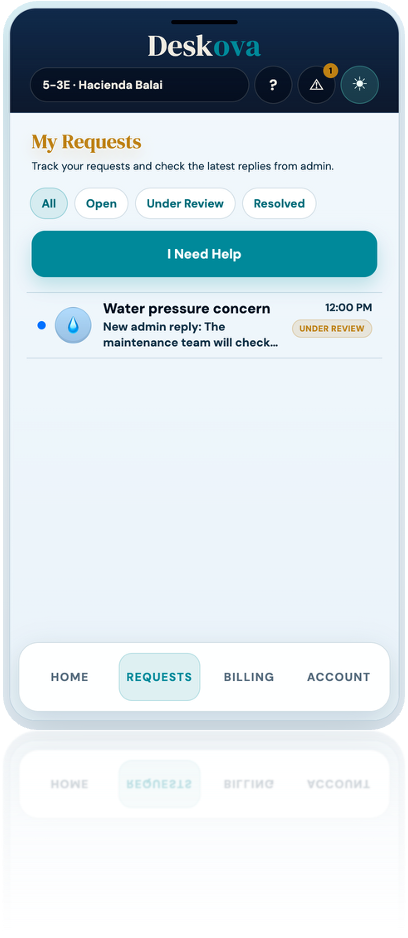
Residents care about transparency.
Shared activity history
Resident submissions, staff updates, and next steps stay connected to the same item.
Search by unit or topic
Find prior concerns, notices, payment reminders, and resident requests without digging through chats, inboxes, or paper folders.
Cleaner resident follow-through
Staff can see what has been answered, what still needs attention, and what the resident sees next.
Role-based visibility
Each stakeholder — management, board, residents — sees what is relevant to their role. Structured access keeps communication clear without creating information gaps.
One workspace solution for daily property work.
Resident concern intake
A resident submits a parking concern with a photo. PMO assigns the item, updates the resident, and closes it once resolved.
Building notice
The team sends a building update, checks read status, and keeps the notice connected to the units that received it.
Request coordination
A unit owner sends a permit or move-in request. Staff review the details, coordinate next steps, and keep the response in one place.
Team handoff
When staff change shifts, open work carries its status, notes, owner, and resident context forward.
We’ll help you expand and implement at the right pace.
Your shared workspace is ready
Resident concerns, notices, payment reminders, and property records move into one shared place for the team.
Extend to the full property
Expand to permits, gate passes, move-ins, and resident access once the core is running.
Implementation that fits your team
Official information is shared clearly with your community.
Property Management Team
PrimaryOne workspace for resident communication, concerns, requests, and records — with clear status, history, and team follow-through.
Boards & Developers
Oversight of case handling, centralized documentation, and cleaner administration — without being buried in daily operations.
Residents & Unit Owners
Residents have one place to submit concerns, receive notices, request passes, and view their own records — with visible status and faster follow-through on every submission.
Common questions
Can't find your answer? Reach us directly and we’ll point you to the right next step.
No. Deskova is built for condominiums, subdivisions, mixed-use developments, and managed residential portfolios of any type.
No. Deskova is a web application first — residents access it through any browser without a forced install on day one.
For property coordination, yes — notices, concerns, requests, and payment reminders move into one shared channel your team manages centrally.
Start with one property and one core workflow — notices, concern logging, or records. Expand from there at your pace.
No. Deskova covers property operations — communication, case handling, and record-keeping. It sits alongside your existing accounting or ERP tools.
Contact Deskova directly — the team can walk through plans, rollout scope, and commercial terms based on your property type and team size.
Simple plans for modern property operations.
Start with Deskova Core. Add Workflow when you want more of the repetitive work handled automatically. Need a different setup? We’ll tailor Deskova to your operation.
Our team will assess your needs and recommend the appropriate Deskova configuration, setup scope, and commercial terms.
Early Partner Program: Core and Core + Workflow rates require a 24-month agreement and remain locked for the full term. A one-time setup fee of ₱49,000 applies. Ask about Early Partner setup rates. Complex migration, integration, or custom setup work is scoped separately. Workflow includes fair-use automation and AI capacity; high-impact decisions remain with authorized property staff.